
Browse Free Shimeji Characters
Preview animated desktop pets and download free character ZIPs.


193 matching characters
 Furina
Genshin Impact
 Hong Lu
Limbus Company
 Idia Shroud
Disney Twisted-Wonderland
 Ishmael
Limbus Company
 Joker (Persona 5)
Persona 5
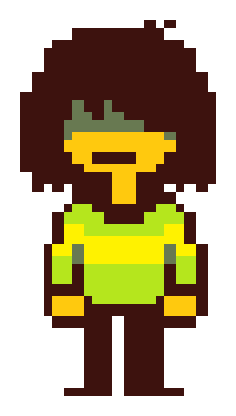 Kris
DELTARUNE
 Octane
Apex Legends
 Pure Vanilla Cookie
CookieRun: Kingdom
 Two Time
Forsaken
 Wanderer
Genshin Impact
 Ariane Yeong
SIGNALIS
 Elster
SIGNALIS
 Goro Majima
Like a Dragon
 Kaede Akamatsu
Danganronpa V3
 Kaito Momota
Danganronpa V3
 Kazuma Kiryu
Like a Dragon
 Kinito
PET
 Puro
Changed
 Sam the Sea Anemone
KinitoPET
 V1
ULTRAKILL
 Agnes Tachyon
Umamusume: Pretty Derby
 Durin
Genshin Impact
 Hokma
Lobotomy Corporation
 Lucifer
Obey Me!
What is a Shimeji?
A Shimeji is a small animated character that can walk, jump or climb around your screen. You can put one in a browser tab or run a character on your desktop.
Search by character or series, then open a character page to preview its available moves.
What’s in a character pack?
Desktop ZIPs include transparent PNG poses and the files that tell the program how to play them. The character page lists the available actions and download versions.
When a character has an HD edition, you can find both editions on the same page. Download center
How do I use a Shimeji?
- Install Shimejis Reading Pets in desktop Chrome or Edge.
- Click “Add to Extension” on a character card. To show it on another page, choose it from the extension.
Prefer your desktop? Download the ZIP from the character page and extract it into a supported Shimeji program. Setup guide
Frequently asked questions
Are characters free to use?
The public library is free to browse, add or download. Creating a new character from your own photo is a separate one-time purchase.
Why isn’t my character showing?
Open an ordinary web page and select the character in the extension. Chrome and Edge restrict extensions on settings and store pages.
How do I receive a custom character?
Open the private link in your order email. On the result page, you can preview the movement, download the files, or add your character to Chrome or Edge.
Can I use a photo from my phone?
Yes. On the order page, choose a photo on this device or scan the QR code. After you select a photo on your phone, it appears in the desktop order form.