
Browse Free Shimeji Characters
Preview animated desktop pets and download free character ZIPs.


89 matching characters
 2-D
Gorillaz
 Gangle
The Amazing Digital Circus
 Queenie
The Amazing Digital Circus
 Token
Token
 Armand
Interview with the Vampire
 Butters Stotch
South Park
 Bubble
The Amazing Digital Circus
 Angel Dust
Hazbin Hotel
 Kamui Gakupo
Vocaloid
 Len Kagamine
Vocaloid
 Rin Kagamine
Vocaloid
 KAITO
Vocaloid
 Megurine Luka
Vocaloid
 Pink-Eared Doodle Cat
 Duxo
Duxo
 Hank J. Wimbleton
Madness Combat
 Laughing Jack
 Tricky the Clown
Madness Combat
 Xav Lad
 Blocky
Battle for Dream Island
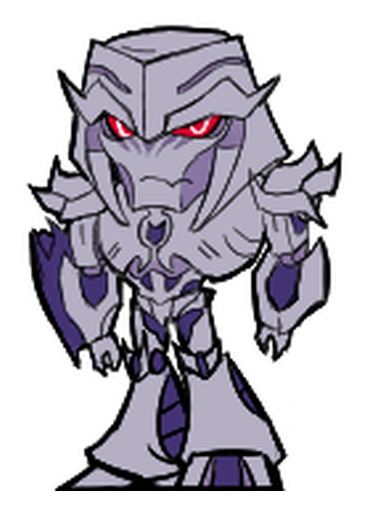 Megatron
Transformers: Prime
 One-One
Infinity Train
 P-Head
PBS Logo Mascots
 Peridot
Steven Universe
What is a Shimeji?
A Shimeji is a small animated character that can walk, jump or climb around your screen. You can put one in a browser tab or run a character on your desktop.
Search by character or series, then open a character page to preview its available moves.
What’s in a character pack?
Desktop ZIPs include transparent PNG poses and the files that tell the program how to play them. The character page lists the available actions and download versions.
When a character has an HD edition, you can find both editions on the same page. Download center
How do I use a Shimeji?
- Install Shimejis Reading Pets in desktop Chrome or Edge.
- Click “Add to Extension” on a character card. To show it on another page, choose it from the extension.
Prefer your desktop? Download the ZIP from the character page and extract it into a supported Shimeji program. Setup guide
Frequently asked questions
Are characters free to use?
The public library is free to browse, add or download. Creating a new character from your own photo is a separate one-time purchase.
Why isn’t my character showing?
Open an ordinary web page and select the character in the extension. Chrome and Edge restrict extensions on settings and store pages.
How do I receive a custom character?
Open the private link in your order email. On the result page, you can preview the movement, download the files, or add your character to Chrome or Edge.
Can I use a photo from my phone?
Yes. On the order page, choose a photo on this device or scan the QR code. After you select a photo on your phone, it appears in the desktop order form.